
Pesto Clipboard

Fast, keyboard-driven clipboard history for Mac

Store thousands of clipboard items, search instantly, and paste with keyboard shortcuts. Inspired by Maccy and Copy 'Em, built for simplicity.

Requires macOS 14.0 (Sonoma) or later

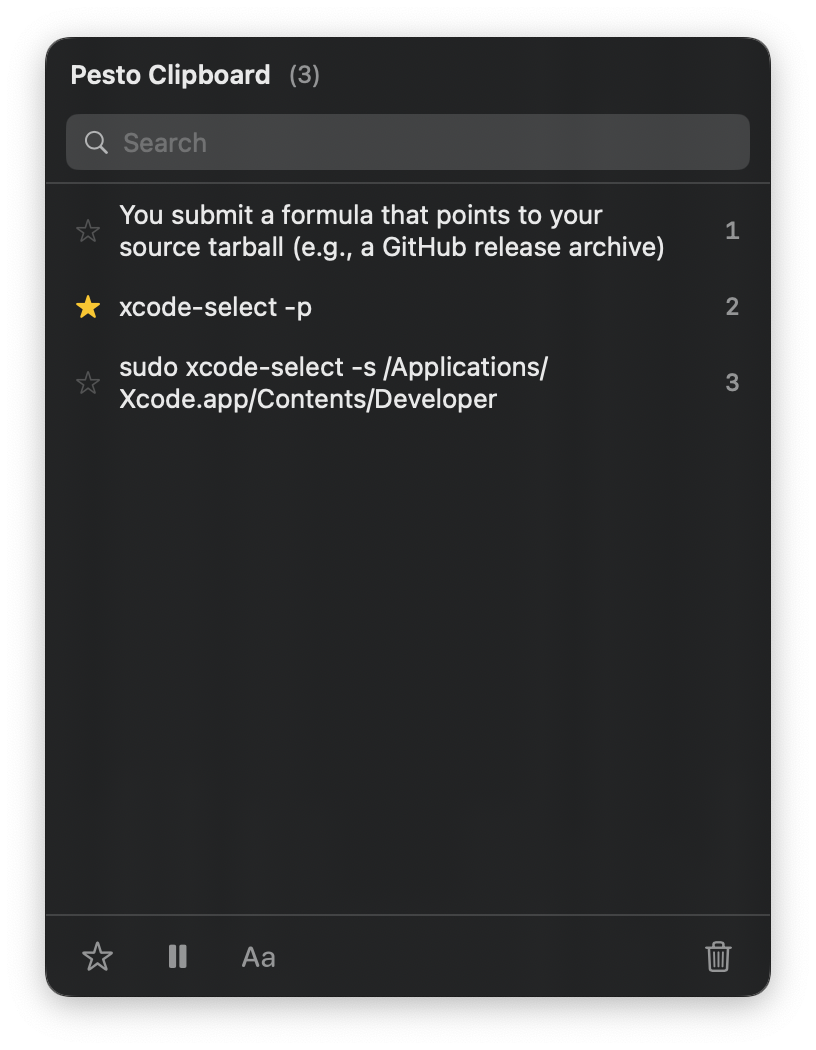
Pesto Clipboard App Screenshot

Features

📋

Clipboard History

Store up to 5,000 clipboard items. Never lose copied content again.

🎨

Multi-Type Support

Captures text, rich text, images, and files seamlessly.

🔍

Lightning Fast Search

Find anything in your clipboard history instantly.

Quick Paste

Use number keys 1-9 to paste recent items without scrolling.

📝

Plaintext Mode

Strip formatting when you need clean, plain text.

🖥️

Menu Bar Native

Lives quietly in your menu bar, always one click away.

See It in Action

Keyboard Shortcuts

Designed for power users. Master these shortcuts to supercharge your workflow.

v
Open clipboard history
1 - 9
Quick paste by number
Navigate history
Paste selected item
Paste as plain text
Delete selected item

Installation

brew install matthewpick/pesto-clipboard/pesto-clipboard

or download the .dmg from GitHub

Free & Open Source

Pesto Clipboard is completely free and open source. No ads, no tracking, no subscriptions. Built as a privacy-focused alternative to proprietary clipboard managers.

View on GitHub

Questions or Feedback?

We'd love to hear from you. Let us know how we can improve Pesto Clipboard.

Get in Touch